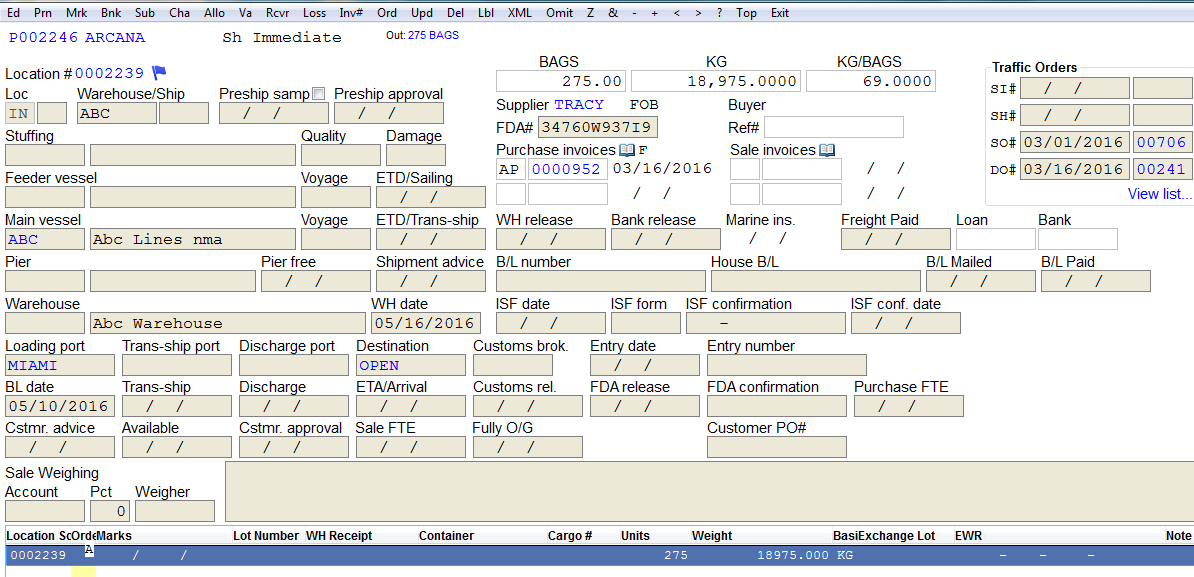
Using the "Recalc" Feature on Contracts
Using the “Recalc” Feature on Contracts
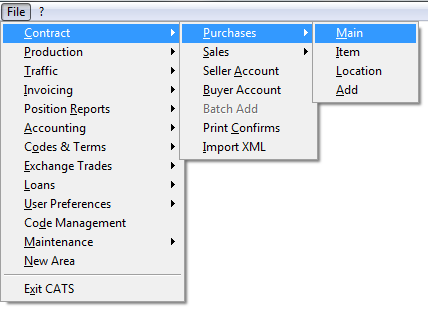
Go to Contract > Purchases > Main.\
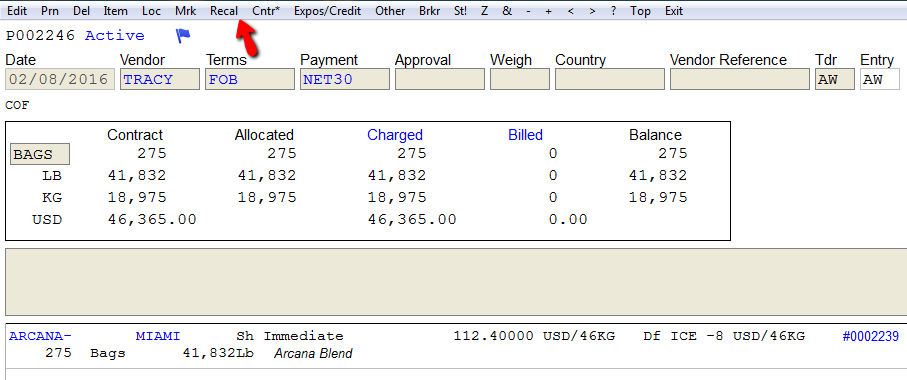
Enter purchase contract number and then Continue and choose the Recal feature from the menu bar.\
When finished, CATS will display a Recalculation Complete message.\
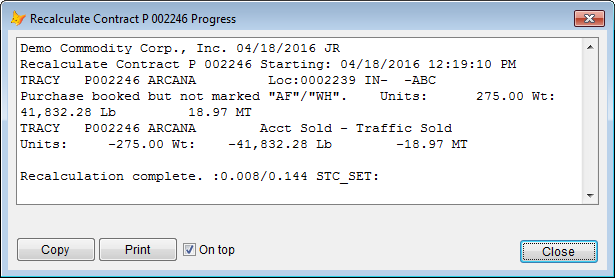
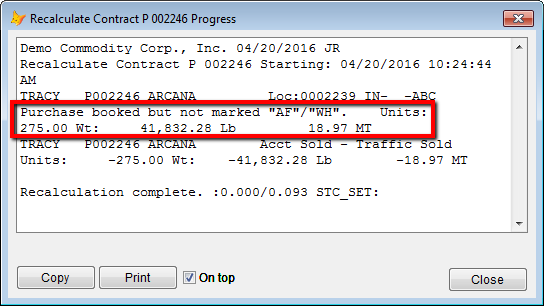
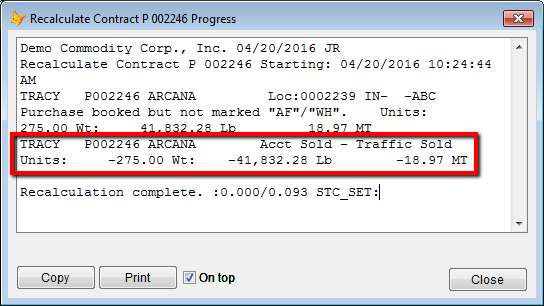
Different information is seen after recalculation complete.\
Purchase Booked but Not Marked AF/WH
Account Sold-Traffic Sold
Once recalculation is complete, you can use account and traffic history.\
Contract Account History
Go to ? > Contract Account History > Purchase.\
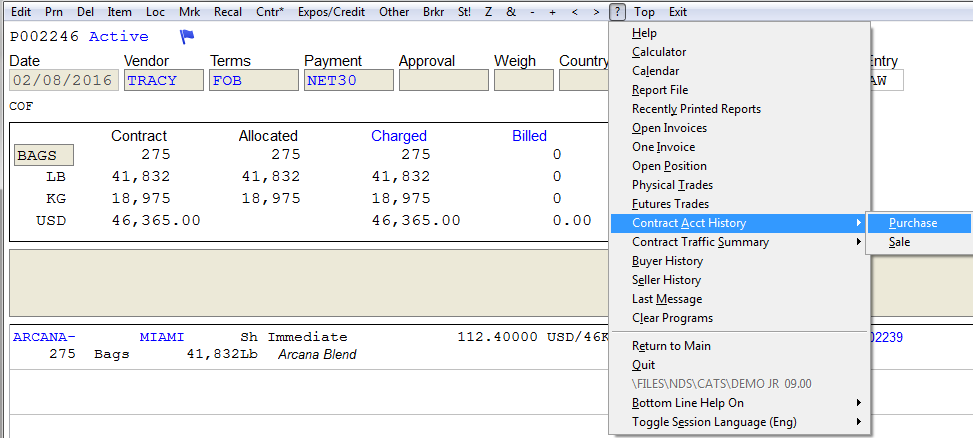
Choose the contract you want and the Continue.\
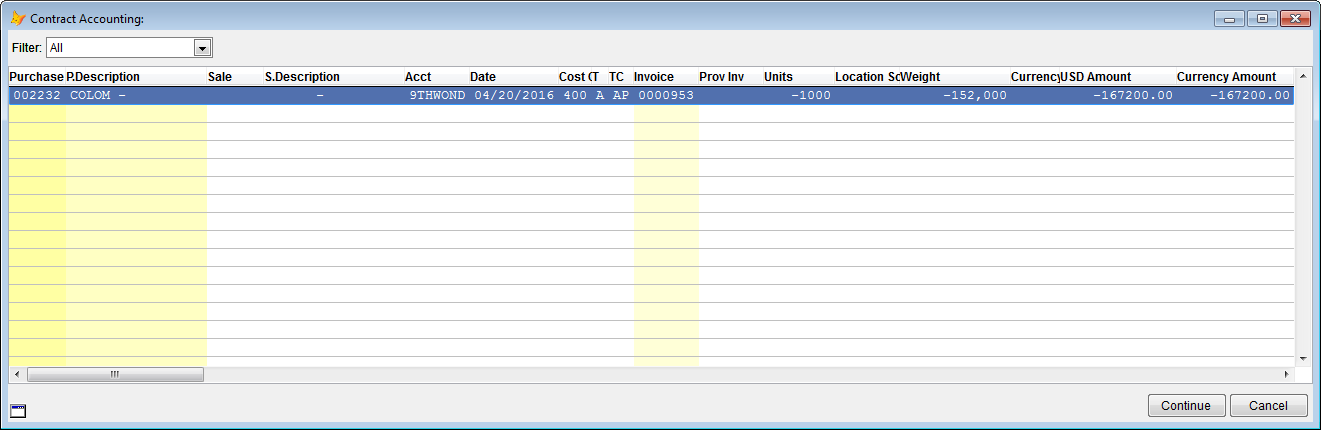
The account history invoice will be displayed.\
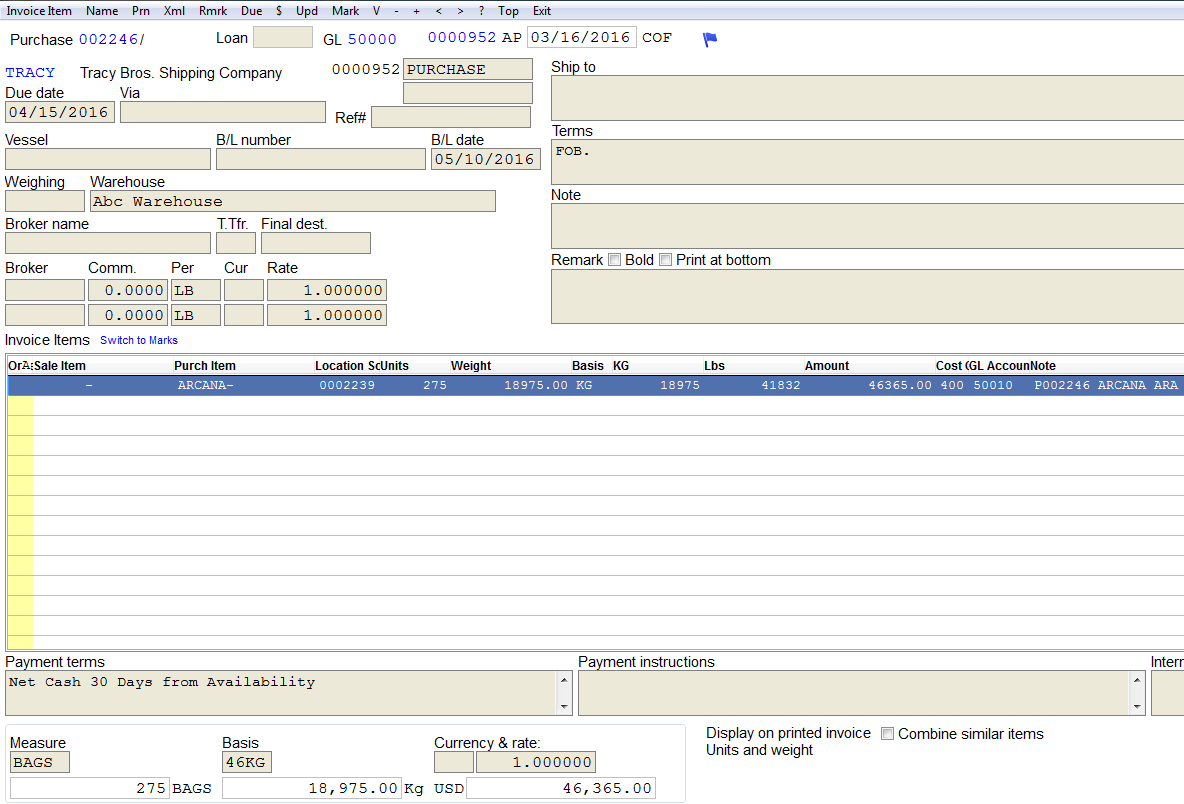
Go to ** ? > Contract Traffic History > Purchase**.\
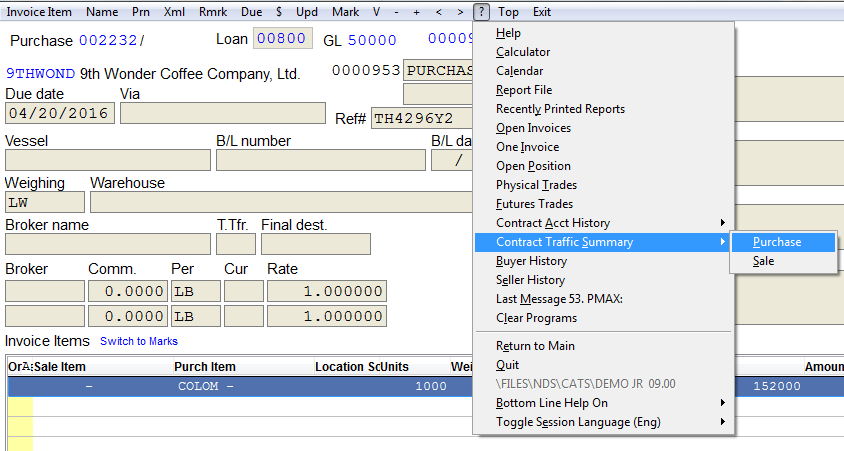
Choose the contract you want and then Continue.\
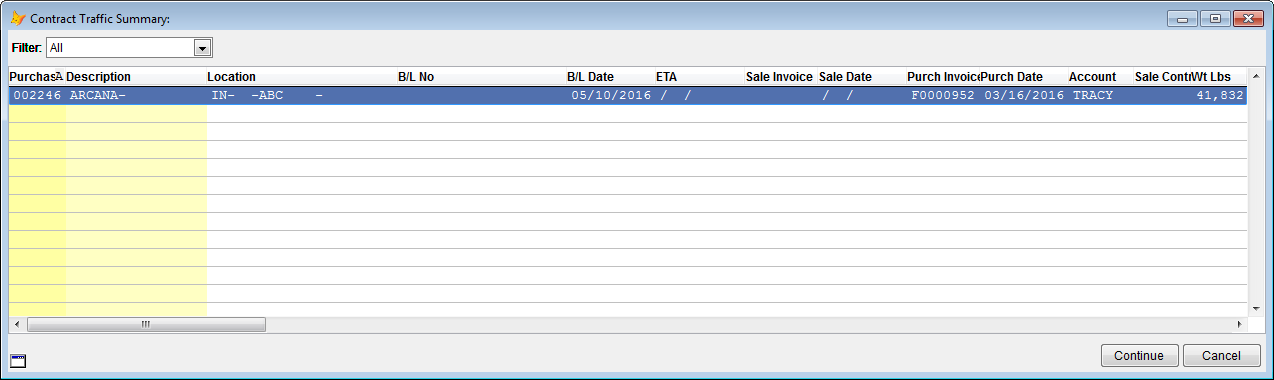
The contract traffic location screen will be displayed.\