Traffic Forms Scan
Traffic Forms Scan
This is a step-by-step guide to using the traffic forms scan option in CATS.\
Quick Guide Steps
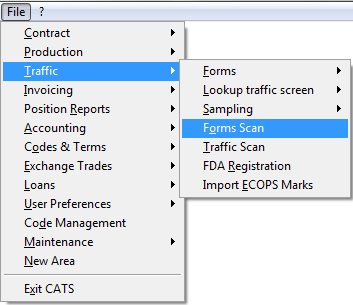
- Go to Traffic > Forms Scan.
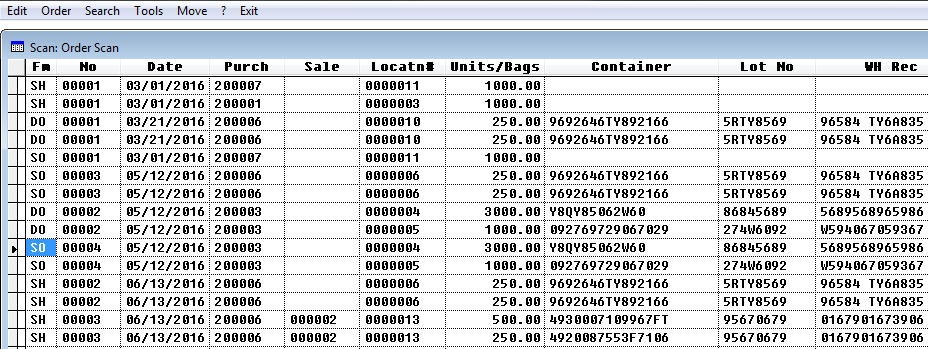
- Here you will have a list of all open traffic forms. The blank ones are templates only.\
- Choose your menu option: **Edit, Order, Search, **or Tools.
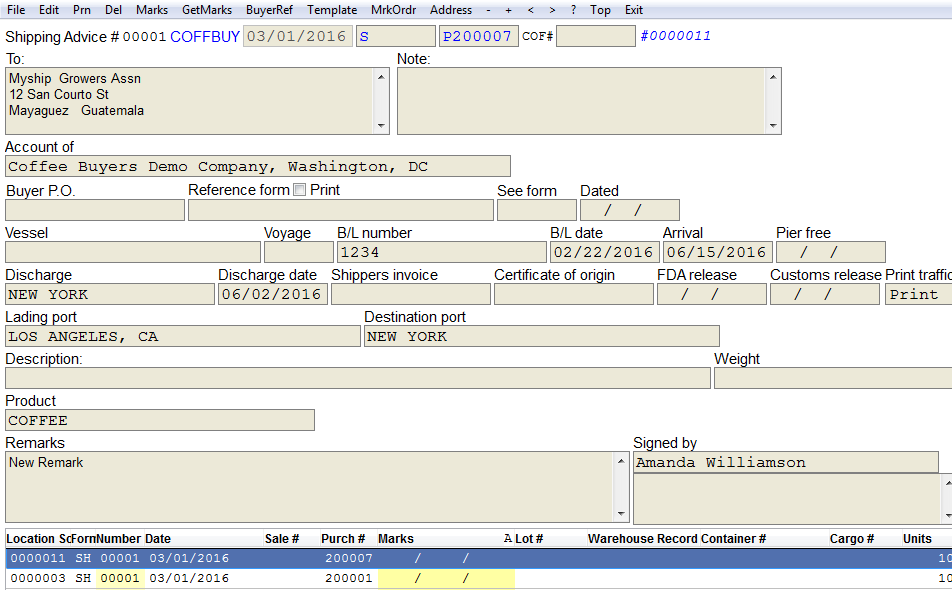
- Choose Edit to go to the traffic form. Then choose Edit on the form to modify.
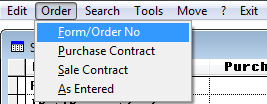
- Order will change the appearance of the form.
- Search will take you to a particular order on the scan.
- Choose Tools to switch between orders and marks (marks on orders).
- You can also search and order the marks from this page.
- Press Exit to return to the main menu.
Scanning Traffic Forms
Traffic forms are Delivery Orders (DO), Sampling Orders (SO) and all other forms related to traffic movements. To see a list of all open traffic forms, go to Traffic > Forms Scan.
Here you will have a list of all traffic forms. The blank ones are templates only.\
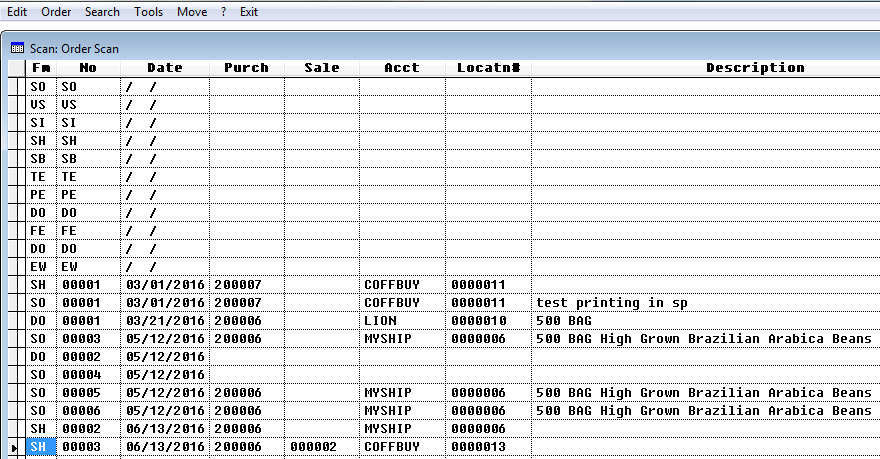
Menu Options
Menu options for traffic form scan are:
- Edit\
- Order\
- Search\
- Tools\
Edit
Choose Edit to go to the traffic form.

Then choose Edit on the form to modify.
Order
Order will change the appearance of the form. You can order list
by:
Form/Order Number
Purchase Contract
Sale Contract
As Entered\
Search
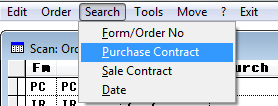
Search will take you to a particular order on the scan. You can
search list by:
Form/Order Number
Purchase Contract
Sale Contract
Date\
Tools
Choose tools to switch between orders and marks (marks on orders)\
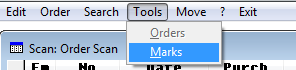
You can also search and order the marks from this page.
Press Exit to return to the main menu.