Tracking and Email Notifications
Tracking and Email Notifications
CATS keeps a log of many activities in CATS. This log can be useful for training and process review purposes. It can also be useful as an activity history for a particular contract or location screen.
Further, in collaboration with the CATS email notification service, it can be used to provide real-time information about user activity.
To print the tracking report, select File > Position Reports > Tracking.
Email Notifications
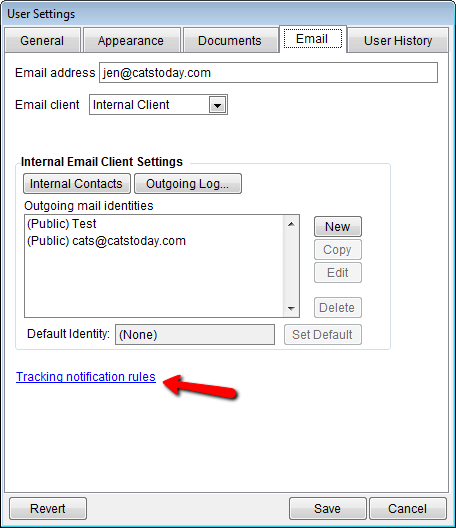
To set up email notifications go to File > User Preferences > User Settings and go to the Email tab. Click on the Tracking notification rules link.
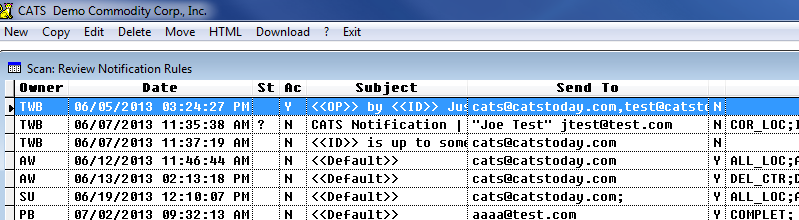
Notification Rules List
Tracking notification rules list.
Modifying a Notification Rule
Adding/modifying a notification rule.
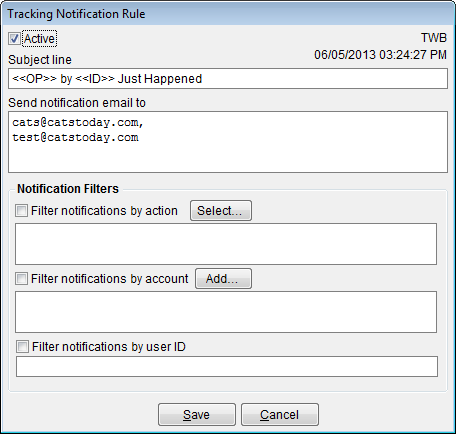
CATS will generate an email when all of the conditions specified in the notification rule are met. This means that a rule which specified a user id, account, and operation will only be triggered if the specified user makes the specified operation with respect to the specified account.