Contract Confirmation Template
Contract Confirmation Template
Templates are used to create contract confirmation documents. Templates may use specific language needed to create a legal document. You must create the template before you can use it for the contract confirmation.
Create a New Confirmation Template
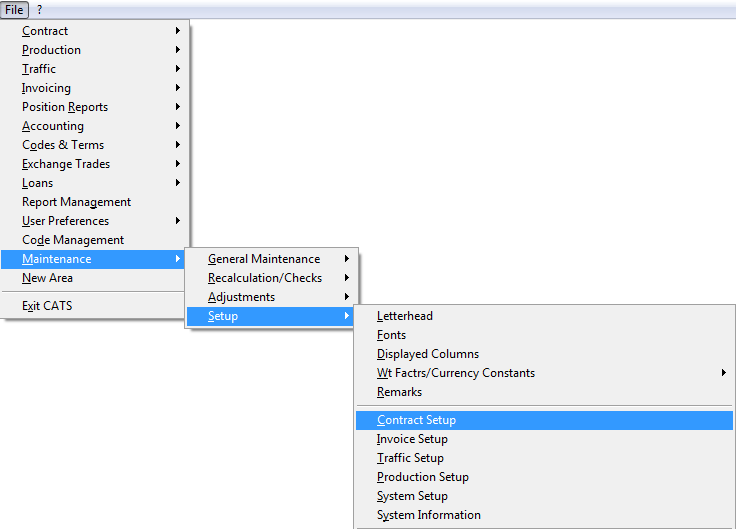
To create a contract confirmation template, go to Maintenance > Setup > Contract Setup.\
Click on the Confirm Templates tab.\
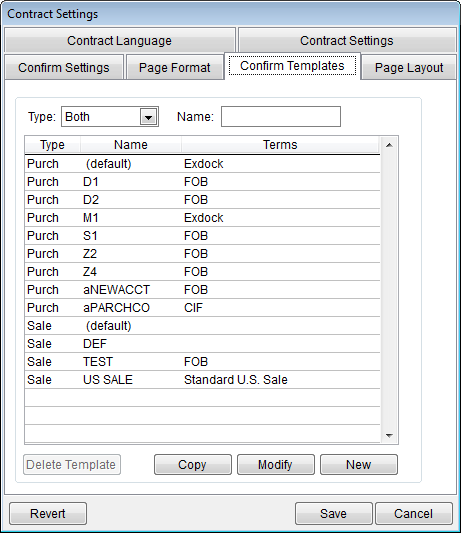
Type - Search templates by Purchase, Sale, or Both.
Name - Search templates by name.
Delete Template - Delete the template.
Copy - Copy the template.
Modify - Modify the template.
New - Create a new template (see below).
Save - Press save to save any changes.
Cancel - Press cancel to go back to the main menu.\
Create a New Template
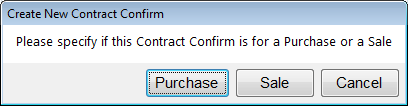
Click on New to create a new contract confirmation template. Select purchase or sale to continue.