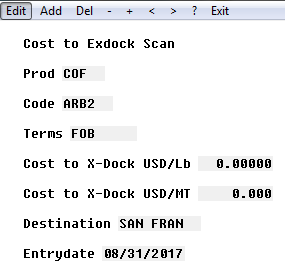
Cost-to-Exdock
Cost-to-Exdock
CATS has a feature that allows you to set up costs that can be
automatically maintained and pulled into to contracts that match.
Go to System Settings and use the Costing Selection tab to set
up the cost table. How it is generated is different based on what is
checked off in this setting.
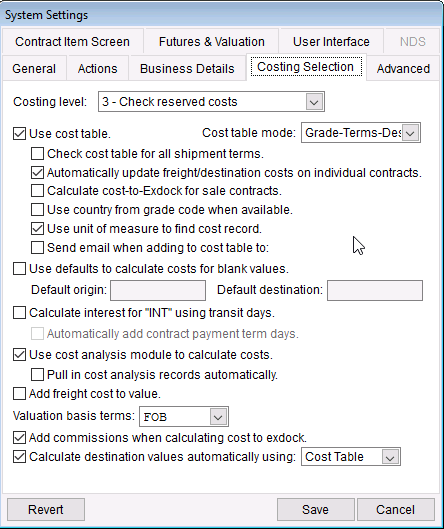
Costing level should be at #3 Check reserve costs. Most common cost
table mode is grade-shipment-destination. Check the box Use cost
table and Use cost module to calculate.
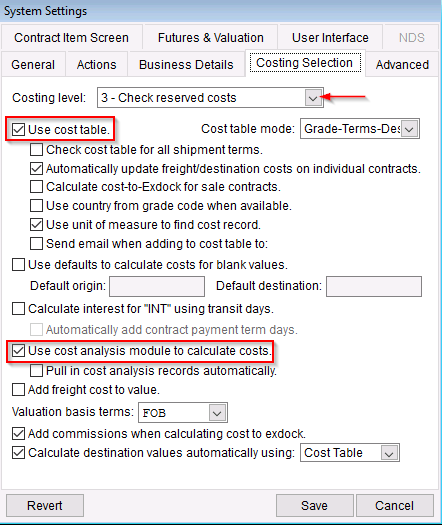
\
Managing Cost to Exdock
Once the table is set up user can continue to adding cost related
codes.
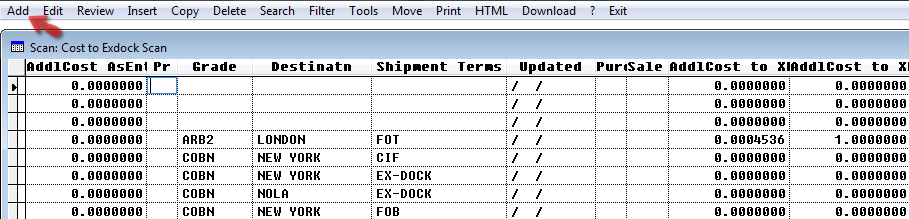
Use the Cost code scan to add or modify the costs.
From the main menu, go to Code and Terms > Cost Codes > Cost to
Ex-Dock to open up the scan.
Pick Add to create a new code.
Add the code and press Apply to continue.
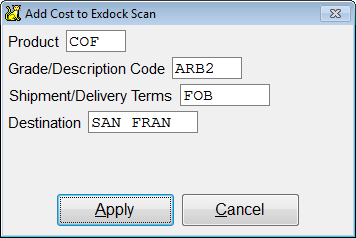
Fill in the details of the new code.
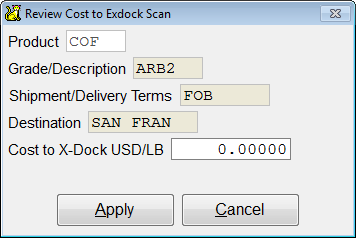
Product -
Grade/ description -
Shipment/Delivery -
Minimum Containers -
Destination -
Cost to Ex-dock -
Press Apply when finished. The newly created code will show on
screen. Press Exit to return to the scan main page.