Working with Credit and Exposure in CATS
Working with Credit and Exposure in CATS
CATS provides several ways to manage your credit and exposure in CATS, which are linked to counterparty accounts. You can limit the allowable exposure or credit extended to counterparties and see a detailed report of your current and expected exposure. testing
Setting Credit and Exposure Levels
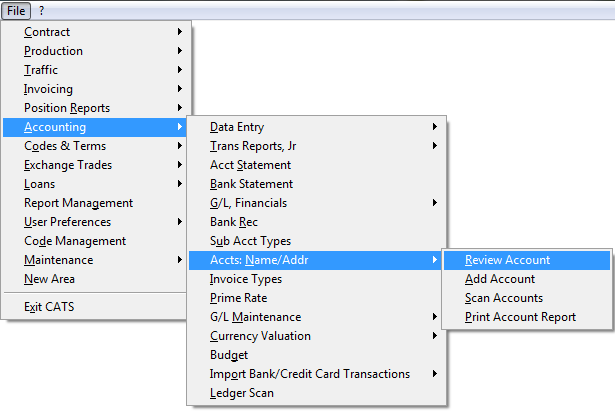
To set the levels for each counterparty, go to Accounting > Accts: Name/Addr > Review Account.
Just enter the account you want to review and pick Continue.